Telegram Bot or Mini App: What to Choose for Your Business
Clients are already in Telegram, and many companies want to work with them right there: take requests, book appointments, sell. There are two tools for this — a bot and a Mini App. They're similar, but they suit different tasks, and the wrong choice is costly: either it's inconvenient for clients, or you overpay for something you don't need.
Let's go through how they differ, the pros and cons of each approach, example tasks and why the best option is often to use them together.
What a bot is
A bot is a Telegram contact controlled by a program. A person sends it messages or taps buttons, and the bot responds: asks questions, shows options, collects data, sends notifications.
Everything happens as a chat. For example, booking a specialist looks like this: the bot asks which service is needed, shows buttons with dates, then buttons with free time slots, and finally confirms the booking.
What a Mini App is
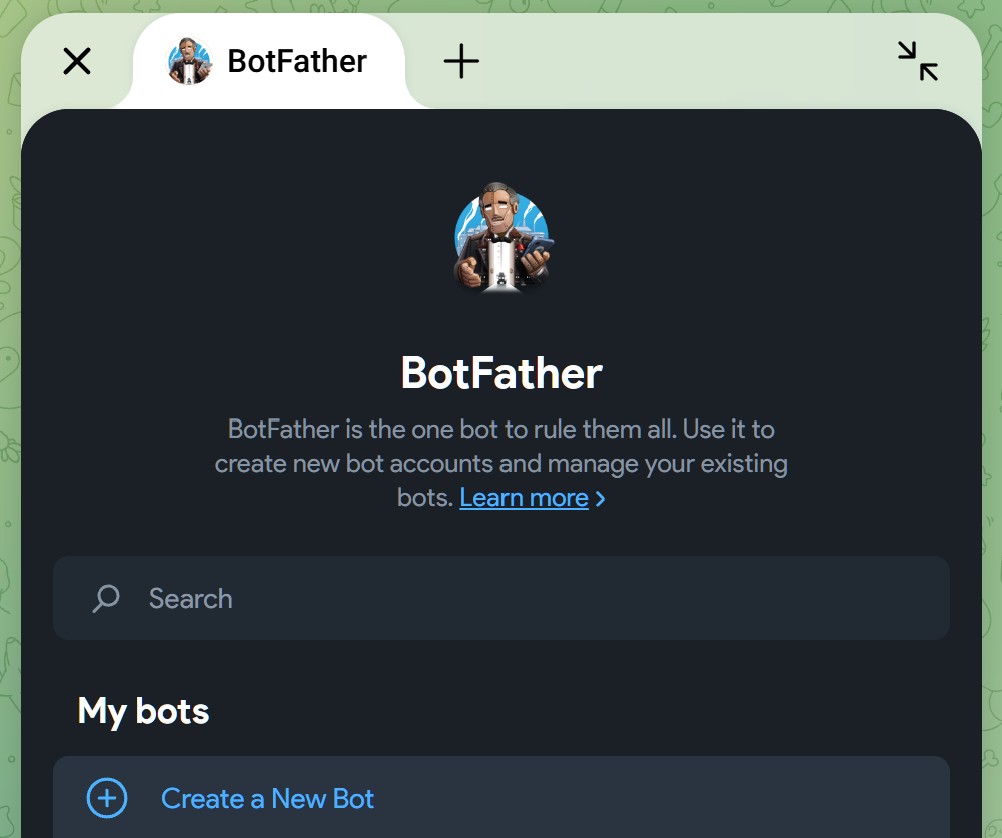
A Mini App is an interface made of regular screens that opens right inside Telegram: with a catalog, photos, a calendar, a cart and forms. It doesn't need to be downloaded from an app store — it opens with one button in a chat with a bot or via a link. The image above shows the Mini App of @BotFather itself, where you can create bots and manage them.
A Mini App always works together with a bot: the launch button is in the chat with the bot, and messages and notifications to the user are sent by the bot.
Pros and cons of a bot
Pros:
- faster and cheaper to develop: the interface is messages and buttons that Telegram draws itself;
- a familiar format: the person just chats;
- can send notifications and reminders;
- looks the same on phones and computers.
Cons:
- the more steps, the more clients drop off halfway;
- it's inconvenient to show many products and photos or compare options;
- complex forms are awkward to fill in — each field is a separate message.
Pros and cons of a Mini App
Pros:
- an interface of any complexity: catalog, calendar, map, cart;
- no need to download an app or sign up — Telegram passes the user's name and account itself;
- choosing, the cart and payment on one screen, without going to a website;
- the design adapts to the light or dark Telegram theme;
- technically it's a web page, so the interface can be reused for a website.
Cons:
- more expensive and slower to develop: a web interface is added to the server side that a bot needs too;
- the interface has to be tested on different devices — it may behave differently in Telegram for iPhone, Android and desktop;
- overkill for simple tasks: opening an app for one button is inconvenient.
⚠️ Important: payments can be accepted both in a bot and in a Mini App, but the rules depend on what you sell. For digital goods and services, Telegram requires payment in its internal currency, Telegram Stars, while physical goods and services can be paid by card through a connected payment provider. It's worth taking this into account at the planning stage.
What to choose for different tasks
- Website requests and notifications for staff — a bot. A request comes in, the bot forwards it to a manager. How to set this up is covered in the article "How to Send Website Form Requests to Telegram with PHP".
- Reminders for clients — a bot. A reminder about an appointment, a payment or a renewal is a single message. Ready-made bots for this are covered in the article "Telegram Reminder Bots".
- Answers to common questions — a bot. Address, opening hours, prices — buttons with answers, and complex questions handed over to a real person.
- Booking one specialist — a bot. Service, date, time, confirmation — four steps in a chat are quite convenient.
- Booking a salon with several specialists — a Mini App. The client needs to choose a specialist, look at photos of their work and find a free slot in a calendar.
- A shop or a delivery menu — a Mini App. Nobody will scroll through products one message at a time.
- A loyalty card — a Mini App. Bonus balance, a QR code for the cashier and purchase history on one screen.
A bot and a Mini App together
In practice, the best result often comes from combining them. For example, for a salon:
- The client opens the bot and taps "Book".
- A Mini App opens: the client chooses a specialist, a service and a free time slot in the calendar.
- The bot sends a booking confirmation, and a reminder the day before the visit.
- The bot notifies the specialist about the new booking.
You can start with a bot and add a Mini App later, once it's clear that clients need more convenience.
Summary
A bot is right for chatting and notifications, a Mini App for choosing from many options. If you're not sure, describe the task step by step: what the client does, what they choose and what they get in the end — that description shows right away whether a chat is enough. How to do this is covered in the article "How to Write a Website Brief for a Developer" — the same approach works for bots.
🤖 Not sure what suits you? Message me — we'll go through your task and choose a solution that isn't overkill.
Published